Product:
Cognos Analytics 11.1.7
Microsoft Windows 2016
Issue:
How remove the JNDI call from the log4j-core file?
Suggested solution:
(Test this first in your LAB environment)
Ensure where you have 7zip installed. https://www.7-zip.org/
Find out what file to clean. (Take a backup of the files to clean).
For cognos controller, we guess it is this file:
C:\Program Files\ibm\cognos\ccr_64\fcmweb\wlp\usr\servers\fcm.reports\apps\fcm.reports-rest.war\WEB-INF\lib\log4j-core-2.5.jar
For cognos analytics, it is several files, maybe this:
C:\Program Files\ibm\cognos\analytics\bin\log4j-core-2.7.jar
C:\Program Files\ibm\cognos\analytics\wlp\usr\servers\dataset-service\workarea\org.eclipse.osgi\88\0\.cp\log4j-core-2.7.jar
Create a new folder e.g. c:\fix
Create a text file, where you list the files to clean on this server e.g. c:\fix\filetofix.txt

Create a new powershell file, jarupdate.ps1, with this content:
# set location of 7z program
$7zip = "C:\Program Files\7-Zip\7z.exe"
# run the script on the source machine
# get files from list to clean
$file2fix= Get-Content -Path "c:\fix\filetofix.txt"
foreach ($thefile in $file2fix)
{
Write-Host "Currently the script is cleaning " $thefile
& $7zip d "$($thefile)" "org/apache/logging/log4j/core/lookup/JndiLookup.class"

}
Get approval to do the update on the Cognos server.
Stop all IBM Cognos services.
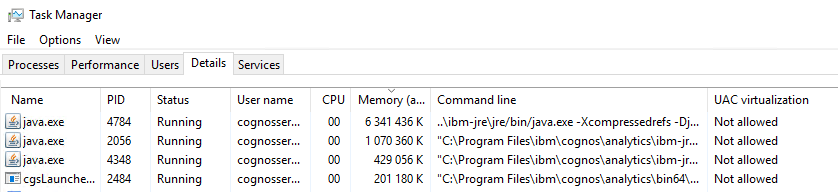
Check that no JAVA process is still around.
Start POWERSHELL as administrator
Go to you c:\fix folder
Enter command: .\jarupdate.ps1

The output will be similar to this;
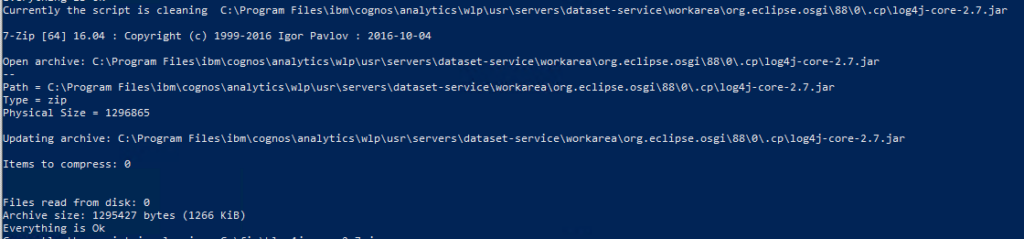
Reboot the server.
Test that Cognos still works.
Repeat on all effected servers.
If you have checked the size of the jar file before clean, you should see a difference after clean.

More Information:
https://www.ibm.com/support/pages/node/6526474
https://www.ibm.com/support/pages/node/6526468
911 – Log4j Security Risk Affects IBM Planning Analytics, Cognos…